
Step-by-Step Guide
This section explains how anyone receiving a Damisa payment link can complete a payment through the Hosted Payment Page (HPP).
What is Damisa’s Hosted Payment Page (HPP)?
The Damisa Hosted Payment Page (HPP) is a secure, branded payment flow designed to make global B2B payments simple, traceable, and fast for your payers.
It allows your organization to share a unique payment link with counterparties (payers) to:
Guide them step-by-step through how to pay you using crypto, local bank transfers, or their Damisa balance.
Show the exact amount to send, calculated in real time based on current FX rates and fees.
Create trusted and pre-verified wallet or bank account details for payment.
Help your team track incoming payments and ensure compliance every step of the way.
The HPP creates a fully automated yet personalized experience, reducing back-and-forth emails and manual payment errors. It also ensures Damisa can reconcile all funds to the correct request, even when payments are made in parts or over time.
The Hosted Payment Page (HPP) link is permanent and can be accessed by anyone who has it.This gives a Payer a consistent way to:
Review what has already been paid and with what rate,
View the remaining balance still due and check the most up-to-date FX rate and fees to pay using desired digital asset or currency.
Payer User Journey Overview
This section outlines the complete experience a payer goes through when interacting with a Damisa-hosted payment link. It provides clarity on what the payer sees at each stage, what data is shown, and how the system guides them through a compliant and user-friendly payment process.
Step 1: Reviewing the Payment Request
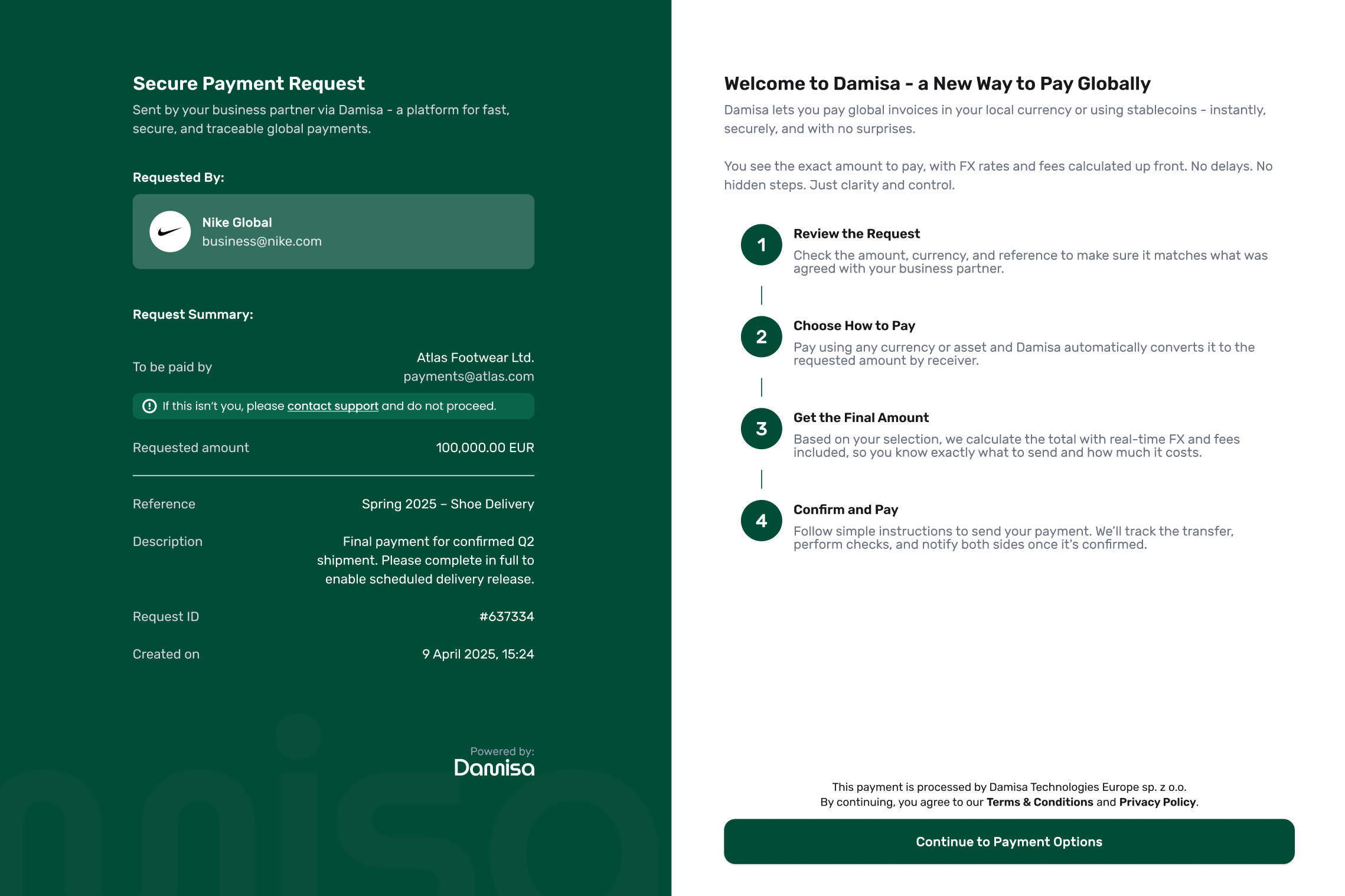
When the payer opens the link, they land on the Hosted Payment Page, where the layout is split into two clear parts:
The left panel (visible at every step) shows the full request summary - including who the request is from, who it’s meant for, the amount, reference, and description. This is automatically populated from how you created the request in Damisa portal.
The right panel introduces the flow with a helpful walkthrough. It explains what the payer will do in the next steps:
Review the request,
Choose how to pay,
See the final amount in their currency,
Send and track the payment.
This initial step builds clarity and trust - the payer knows exactly what’s expected and how the process will unfold. It sets the stage before they make any decisions or send any funds.
Step 2: Choosing How to Pay
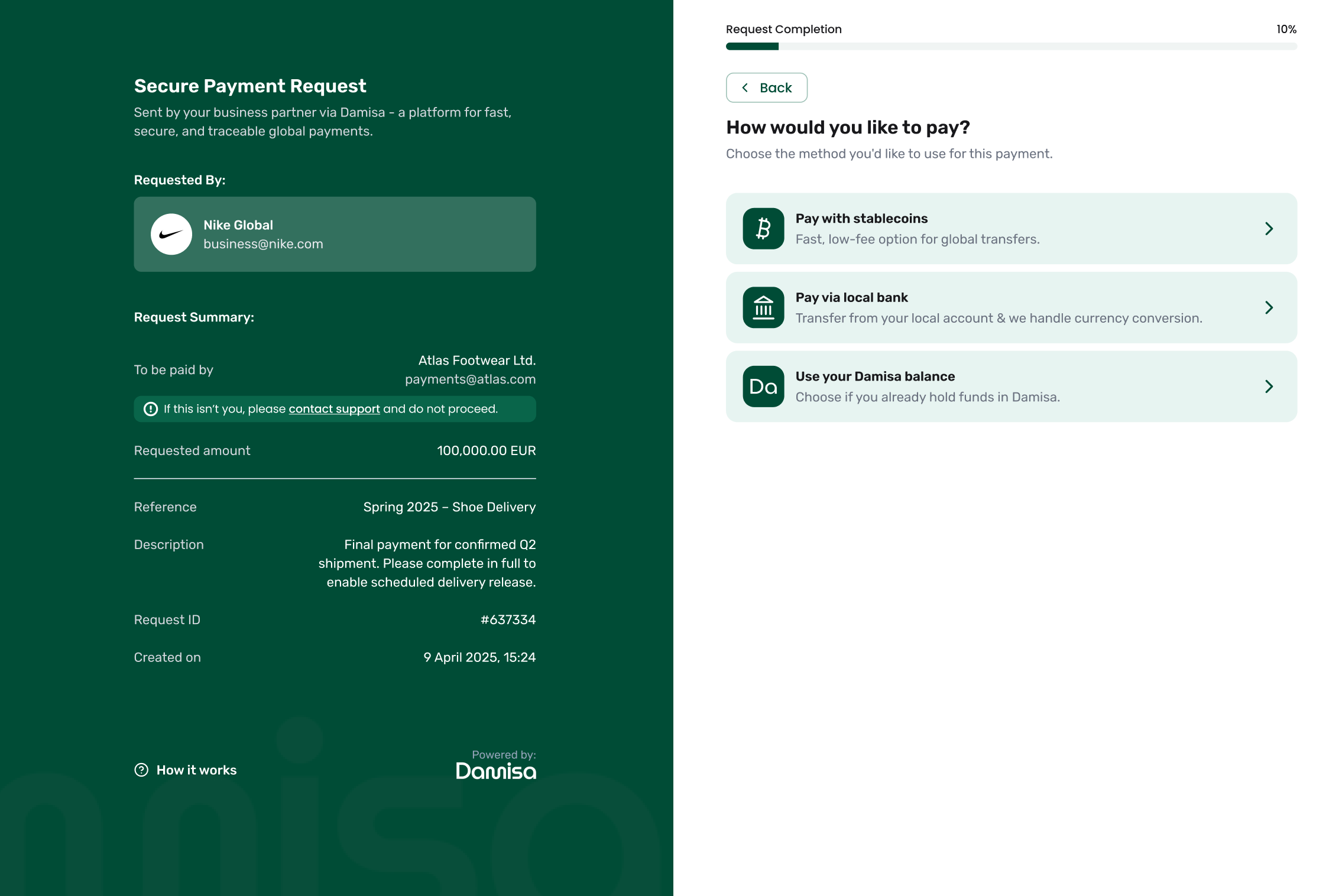
Once the payer clicks “Continue to Payment Options,” they are guided to select how they want to fulfill the payment. Damisa may support multiple payment methods, depending on the requestor's configuration, destination account and currency, for example:
Pay with stablecoins (on supported networks)
Pay via local bank transfer (the funds will be then converted to receiver's currency)
Use Damisa balance (if they already hold funds in-platform)
This step allows flexibility while still ensuring full traceability. Damisa dynamically presents only the methods relevant to this particular request and recipient.
The options shown are based on internal logic, including:
What methods are enabled for this Damisa Customer,
The selected destination account and currency,
Availability of networks or regions.
Step 3: Selecting Currency & Network
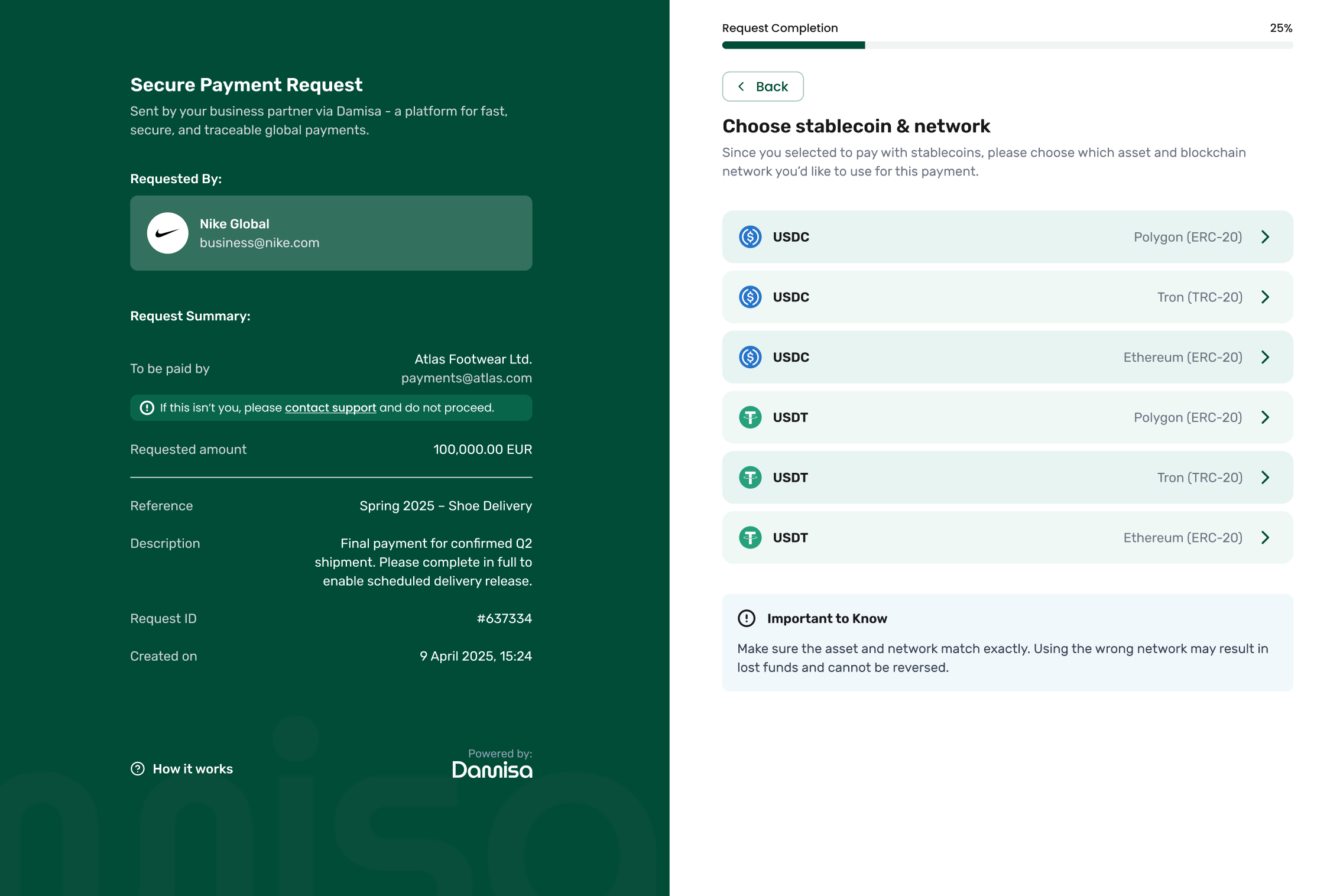
If the payer chooses to use stablecoins, they are asked to pick:
The asset (e.g. USDC or USDT)
The blockchain/network (e.g. Polygon, Tron, Ethereum)
Damisa ensures that the payer only sees valid, supported combinations for the destination. Using the wrong network would result in funds being lost so the system helps prevent that through limited options and clear instructions.
The list of supported stablecoins and networks is based on your organization's Damisa configuration and the payment methods made available when the request was created.
If you would like to support additional currencies or networks for future payment requests, please contact your Damisa Account Manager with the relevant use case.
Step 4: Review & Confirm
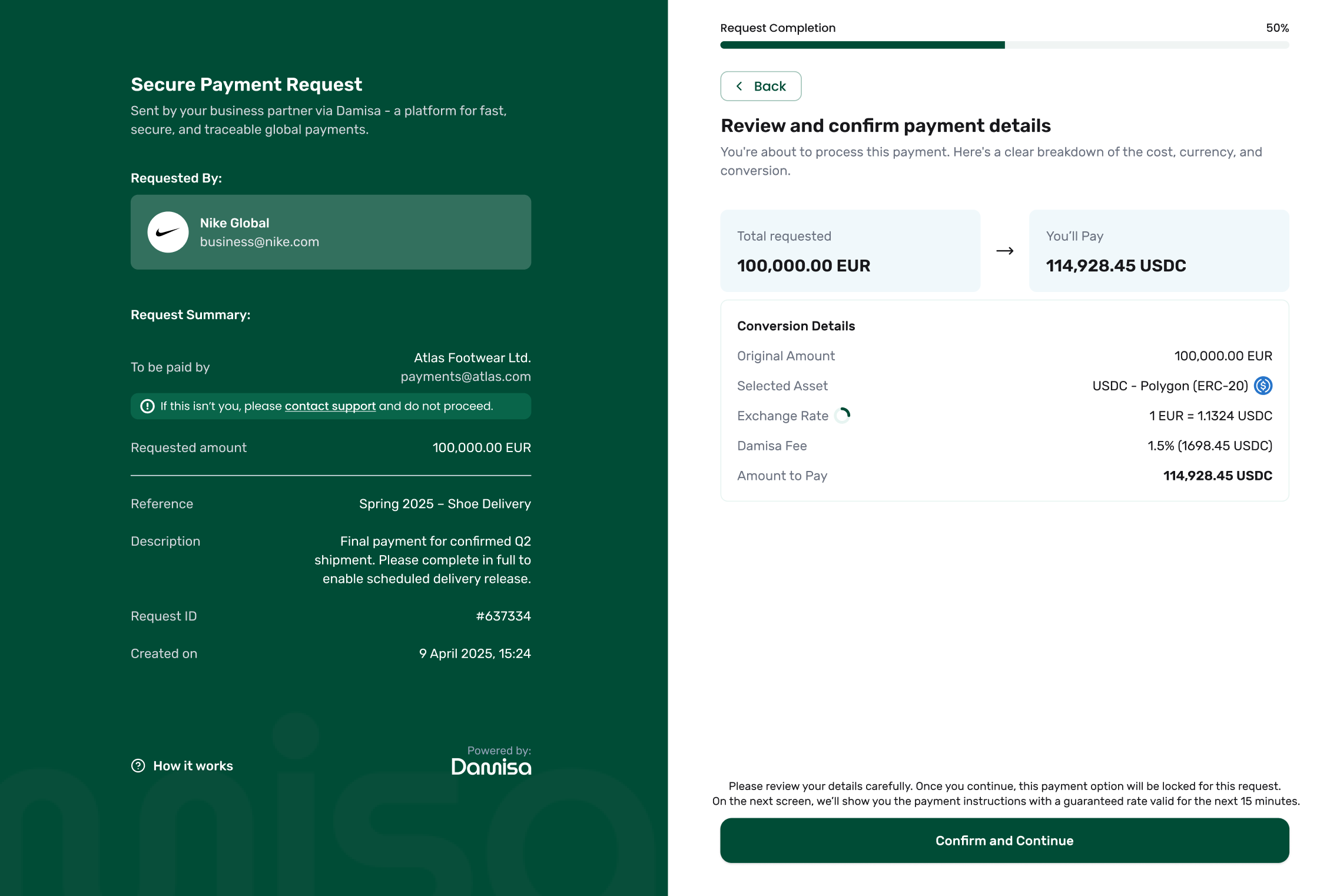
At this stage, the payer sees a final summary of the payment before proceeding. This includes:
The destination amount requested by the Damisa Customer (e.g. 1,000 EUR),
The amount the payer needs to send in the selected asset (e.g. 1,012.34 USDC),
The network and asset selected (e.g. USDC on Polygon),
The real-time exchange rate and a summary of any fees,
The wallet address or bank account to which the funds should be sent.
The exchange rate displayed here is refreshed automatically every few seconds and is indicative only - it does not guarantee the rate.
The final rate will be locked and guaranteed once the payer clicks "Confirm and Continue", giving them a limited time window to complete the payment.
Step 5: Making a Payment
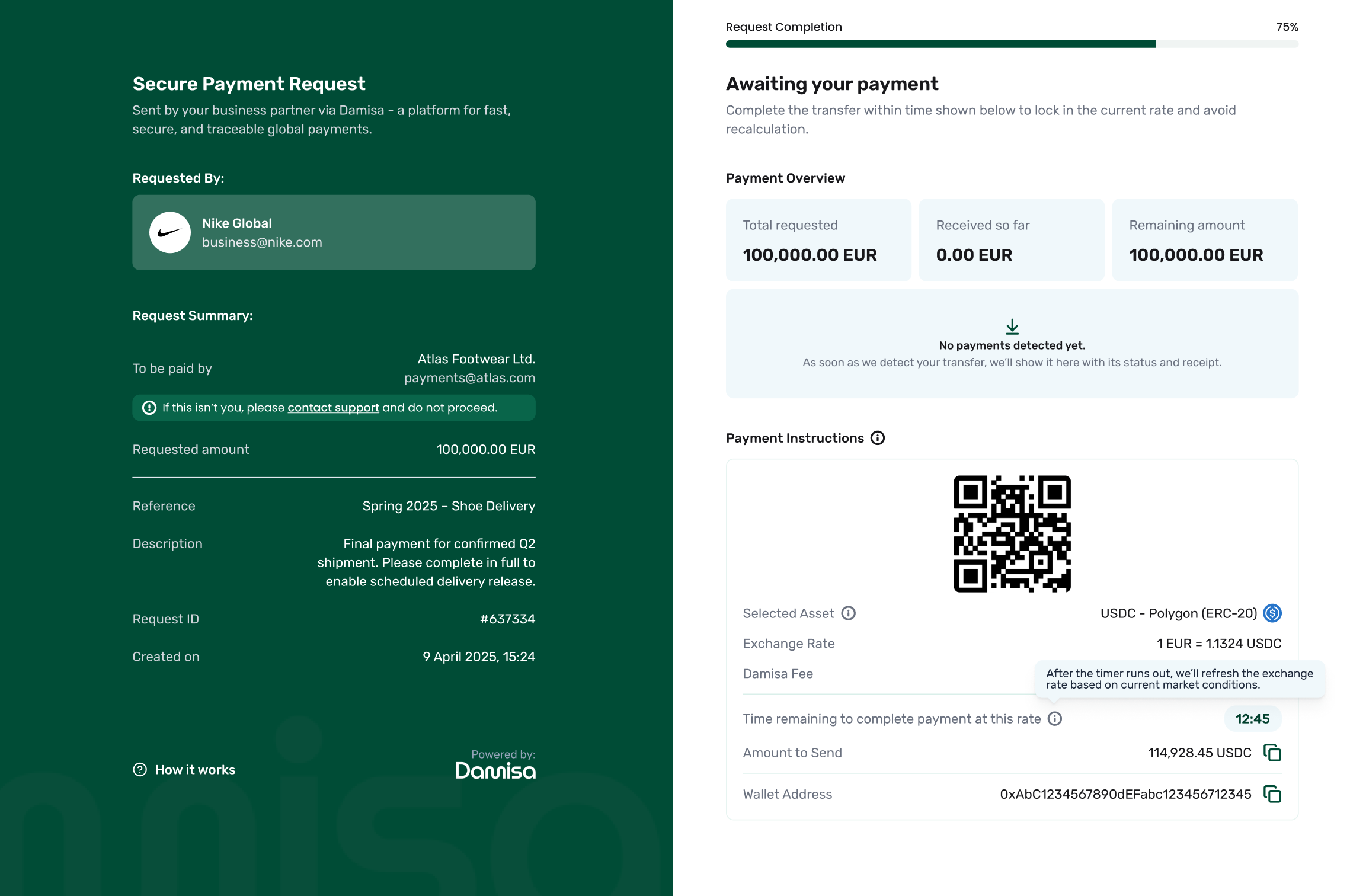
Once the payer confirms their payment method and asset, the Hosted Payment Page (HPP) locks in the selected option and moves to the final step - displaying the exact amount to send, along with a QR code and wallet address.
How It Works
The payer sees the locked payment details:
Selected asset and network,
Final exchange rate and Damisa fee,
Amount to send (in crypto or fiat),
Countdown timer (how long the quote is valid)
Countdown Timer and Rate Guarantee
The countdown timer indicates how long the current exchange rate and fees are locked for this payment.If the transfer is received within the displayed time, the rate and fees are guaranteed exactly as shown.
If the timer expires before the payment is received:
A new quote will be generated with the latest rates and fees.
If the transfer still arrives later, Damisa will automatically recalculate the rate and fees based on the exact moment the transfer was detected on-chain.
Once the payer sends the funds, Damisa:
Detects the incoming payment on-chain in real-time,
Shows the transaction with status: Verifying.
Performs compliance checks, including:
AML/KYT screening,
Travel Rule verification.
At this stage, the funds have not yet been credited!
Damisa must first complete compliance checks before finalizing the transaction.
When Checks Are Passed:
Damisa applies the locked exchange rate and fee and sends the payment to the Receiver,
Converts the payment into the destination currency of the Payment Request,
Updates the Payment Overview with status Accepted.
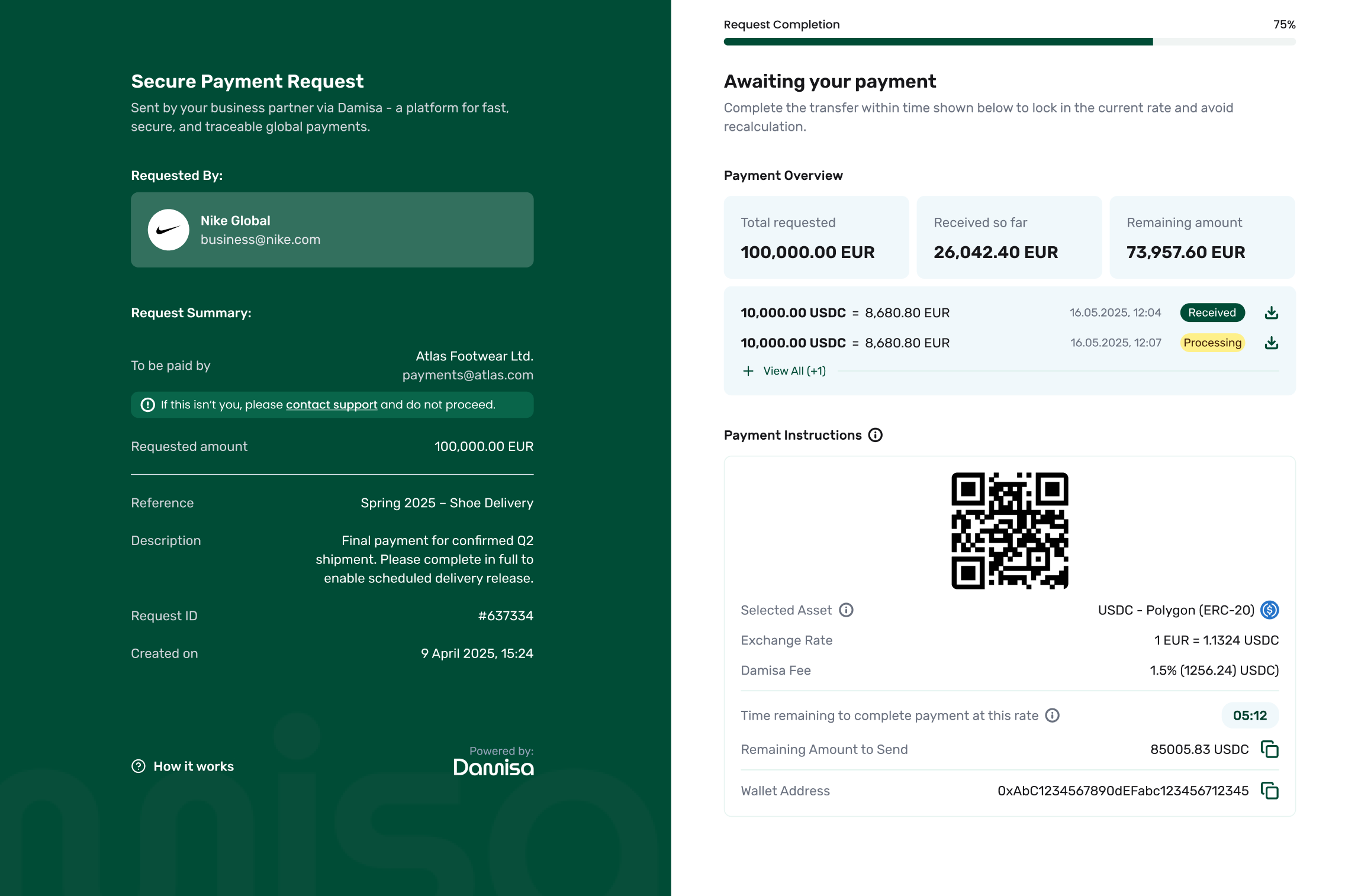
If a partial payment has been made, the payer should wait until the transaction is marked as "Accepted" before sending more.
Once accepted, Damisa will automatically recalculate the remaining amount, reflecting the new exchange rate and any updated fees.
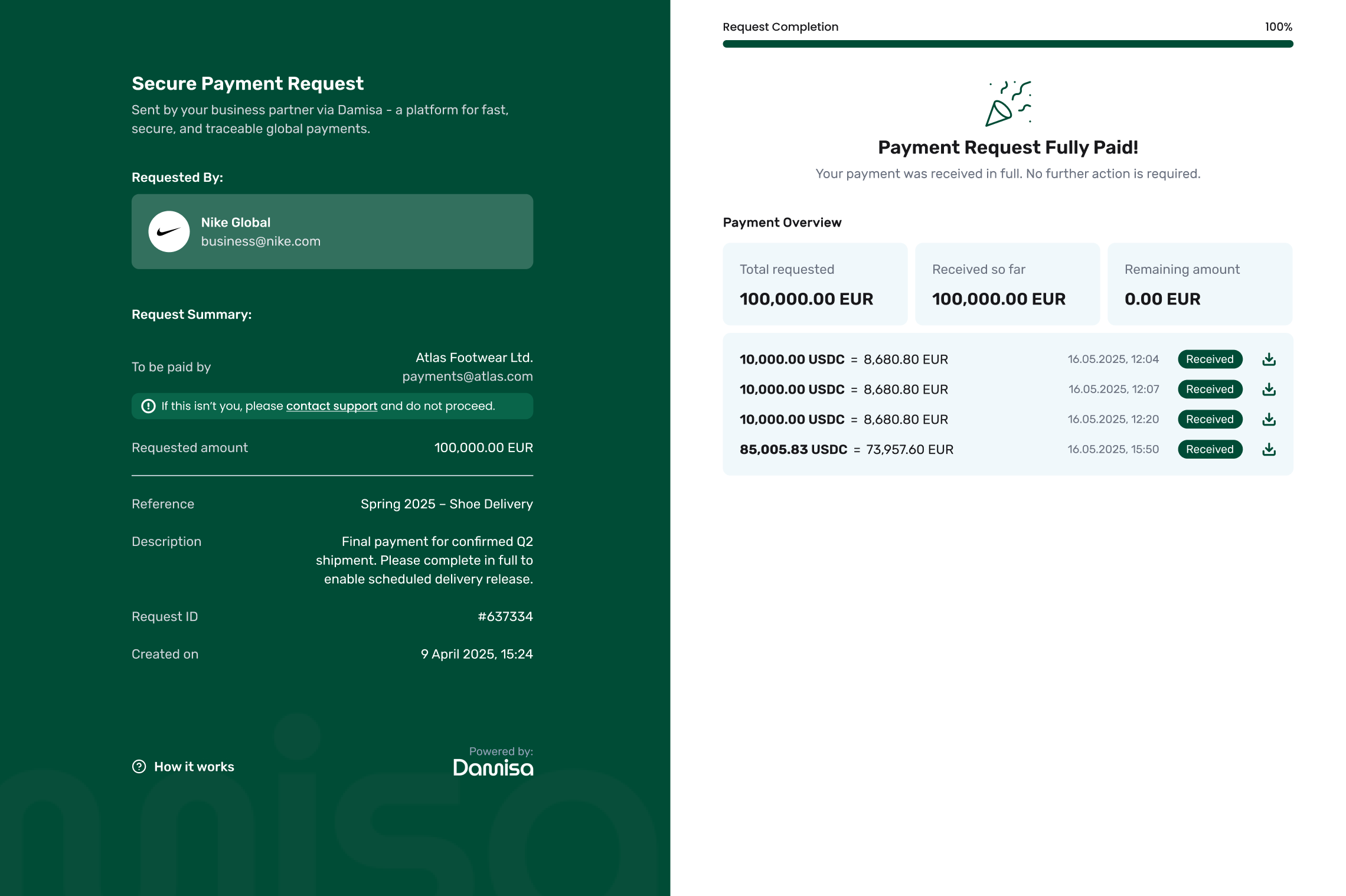
When the total requested amount has been accepted:
The Payment Request is marked as Fully Paid,
A success screen is shown with a summary of all accpeted payments,
Each payment includes a receipt with full details.
Last updated